 bhCLI tool
Half-remember it, and still get it back.
bh searches ~/.bash_history fuzzily and floats what you actually use to the top — a terminal tool you can bind over Ctrl-R.
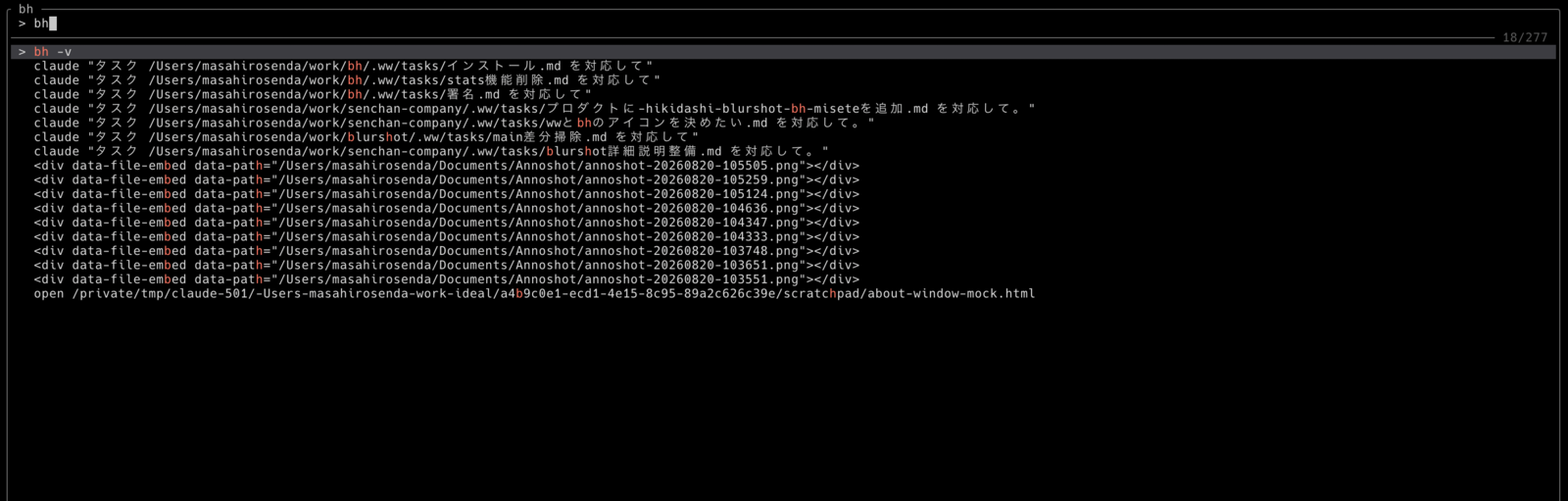
Do any of these happen when you go looking for a command you typed before?
Type the characters you remember, in order.
Type the fragment you remember and the history narrows as you go. Characters may be spread out as long as the order holds, so you never have to recall the whole command.
Why it works
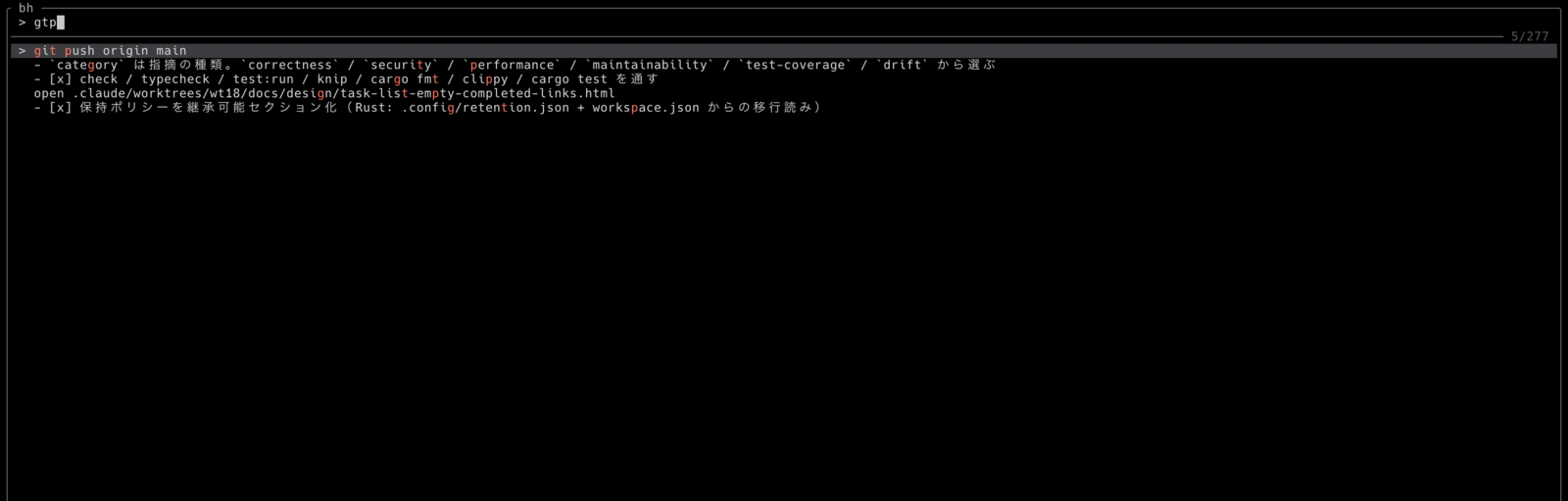
fzf-style fuzzy matching picks up any command whose characters appear in the order you typed them. Matches rank higher when the characters run together, land at the start of a word, or sit near the start of the command. An exact substring match always ranks above a fuzzy one.
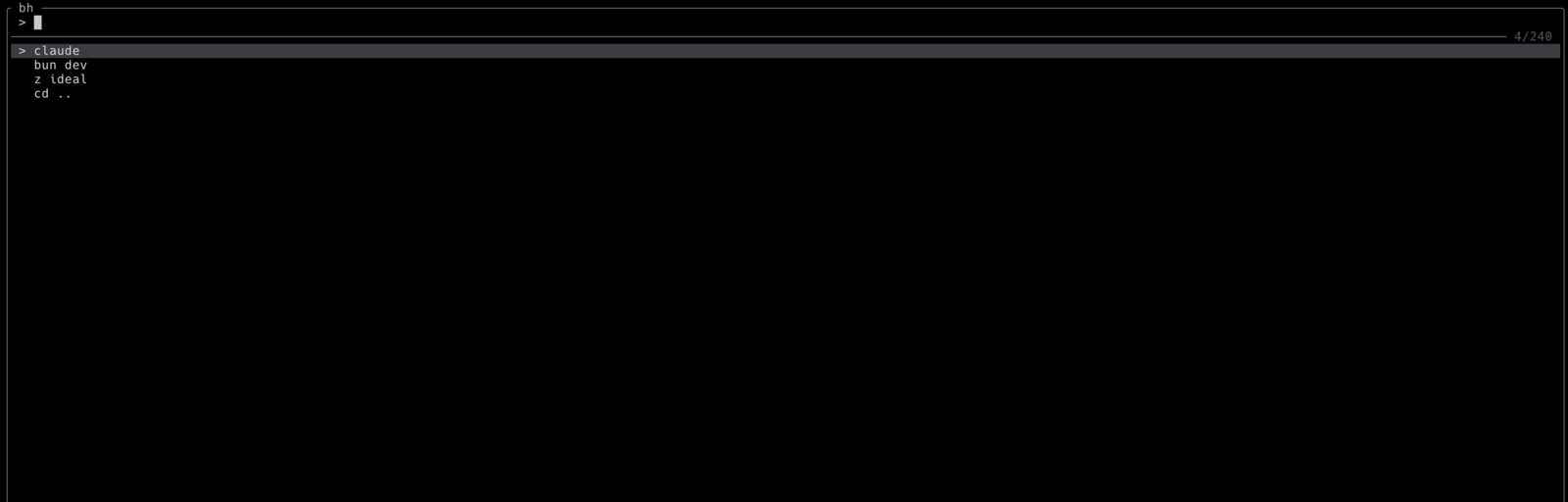
How recently you used a command and how often you use it give it a score, and the list is ordered by that score. A command typed only once is pushed well down, so typos never settle at the top. Before you type anything, only commands used twice or more are listed.
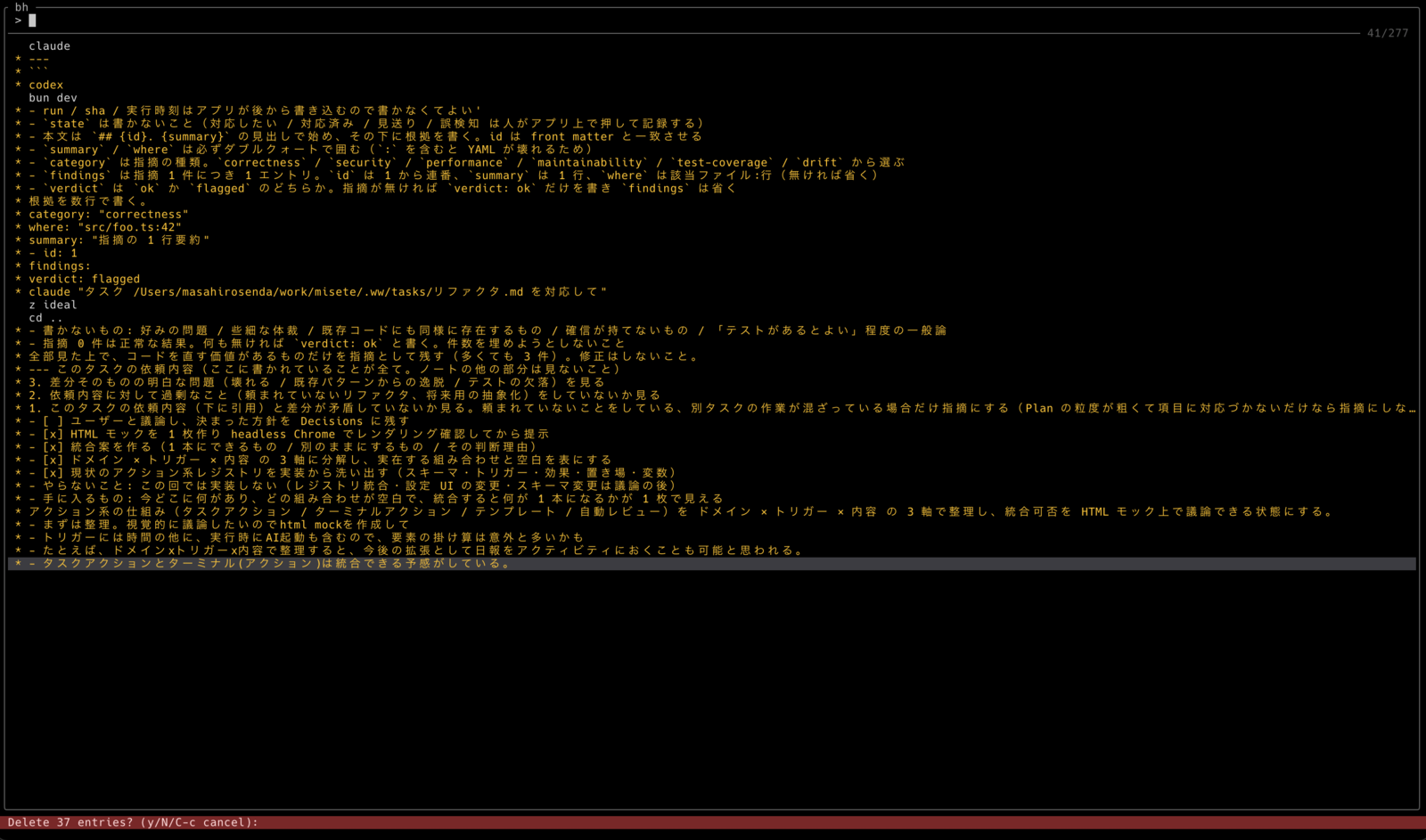
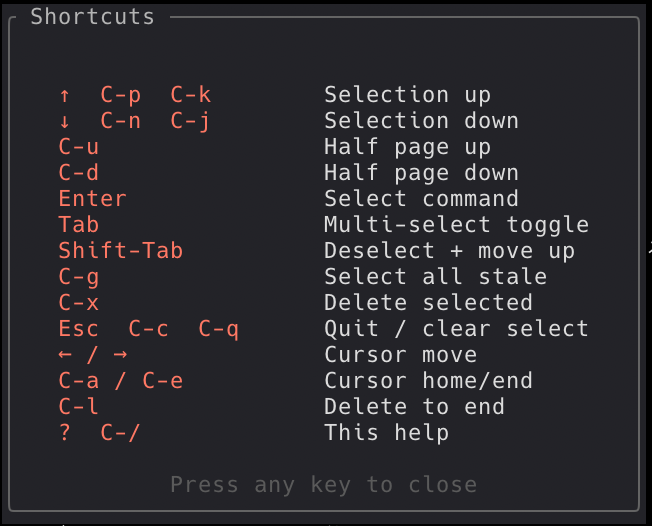
C-x removes the highlighted command from ~/.bash_history, and Tab lets you pick several first. Every deletion asks y/N, so a search never turns into a deletion by accident.
Key features
What it needs to run, and how it treats your history
- Source code
- Published under the MIT license. What it actually does can be read in the repository.
- Requirements
- The published binary is for Apple Silicon Macs. Anywhere else, cargo install --path . builds it from source.
- Getting it
- brew install senkentarou/tap/bh installs it, or unpack the tarball from GitHub Releases yourself.
- Which shell
- It reads ~/.bash_history and nothing else. zsh and fish histories are not supported.
- Writing to the history
- The only writes are deletions, and every one of them asks y/N first before dropping the matching lines from ~/.bash_history.
- Network traffic
- There is no networking code in it. Nothing it reads from your history ever leaves your machine.
- Price
- Free.
Give it a try
brew install senkentarou/tap/bh installs it, or grab the tarball straight from GitHub Releases.
Apple Silicon Mac · Reads bash history · Free (MIT)