 MisetemacOS app
How much your hands moved, there when you look back.
Misete is a macOS menu bar app that keeps a day-by-day record of your keyboard and mouse. Time with your hands moving, keystrokes, and cursor distance pile up without you doing anything, and read back as the keys you lean on and the hours you are busiest. It also puts the keys you press into an overlay, which is what you want on a screen share or a recording.
FUNCTION
What You Can Do
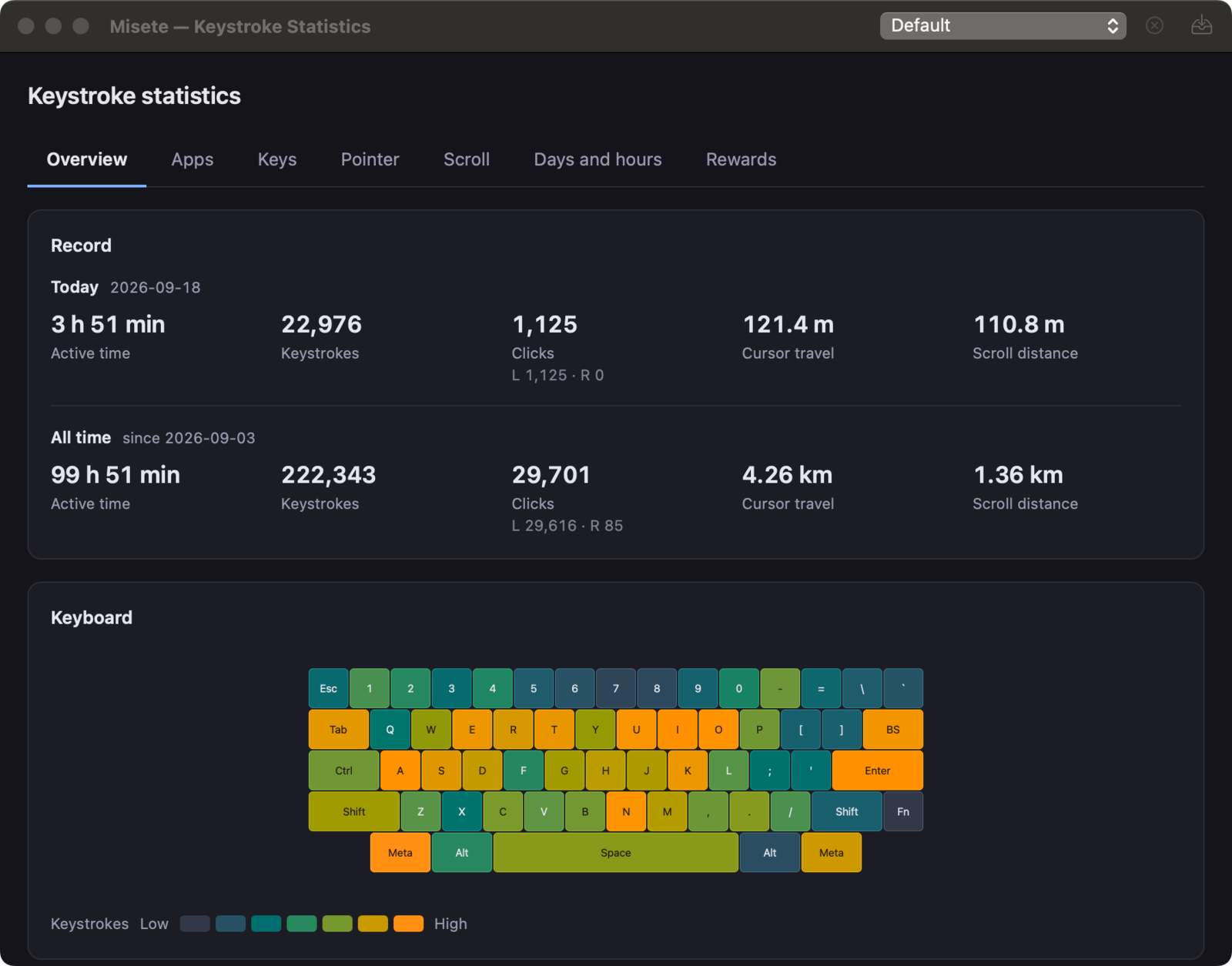
A Day's Work, in NumbersTime with your hands moving, keystrokes, clicks, cursor distance and scroll distance, for today and for all time. The last fortnight sits on the same screen.
When Your Hands Were MovingA year of days, shaded by how much each one carried. The same record reads by weekday, by hour, and as a ranking of your busiest days, which open once two days have been recorded.
The Keys You Lean OnStroke counts shaded over a keyboard. Modifier combinations are counted apart, so the share shortcuts take of a day's typing can be followed too. The key rankings open at 5,000 strokes. Import KLE JSON and the same statistics sit over your own board.
Put the Keys You Press On ScreenOn a screen share or a recording, people who cannot see your hands can follow what you did. Out of the box only ⌃ ⌥ ⌘ combinations are shown, so ordinary typing never reaches the screen. The app you are typing into keeps the keyboard, and the overlay moves or resizes by dragging.
What it needs, and how it handles your data
- Operating system
- macOS 14 (Sonoma) or later.
- Permissions
- Input Monitoring is required.
- When nothing is shown or recorded
- While macOS has secure input enabled — password fields, the login window, the screensaver — and while an app you have excluded is frontmost, both the overlay and the recording stop. Password managers are excluded from the start.
- Where the data lives
- Misete makes no network connections. Records are kept inside this Mac's sandbox container with no retention limit, and can be exported, imported, or erased from Settings.
- Price
- Buy once, use forever. No subscription.
Install it
Get it from the Mac App Store.
macOS 14 Sonoma or later · Input Monitoring required · One-time purchase, no subscription