 TadamacOS app
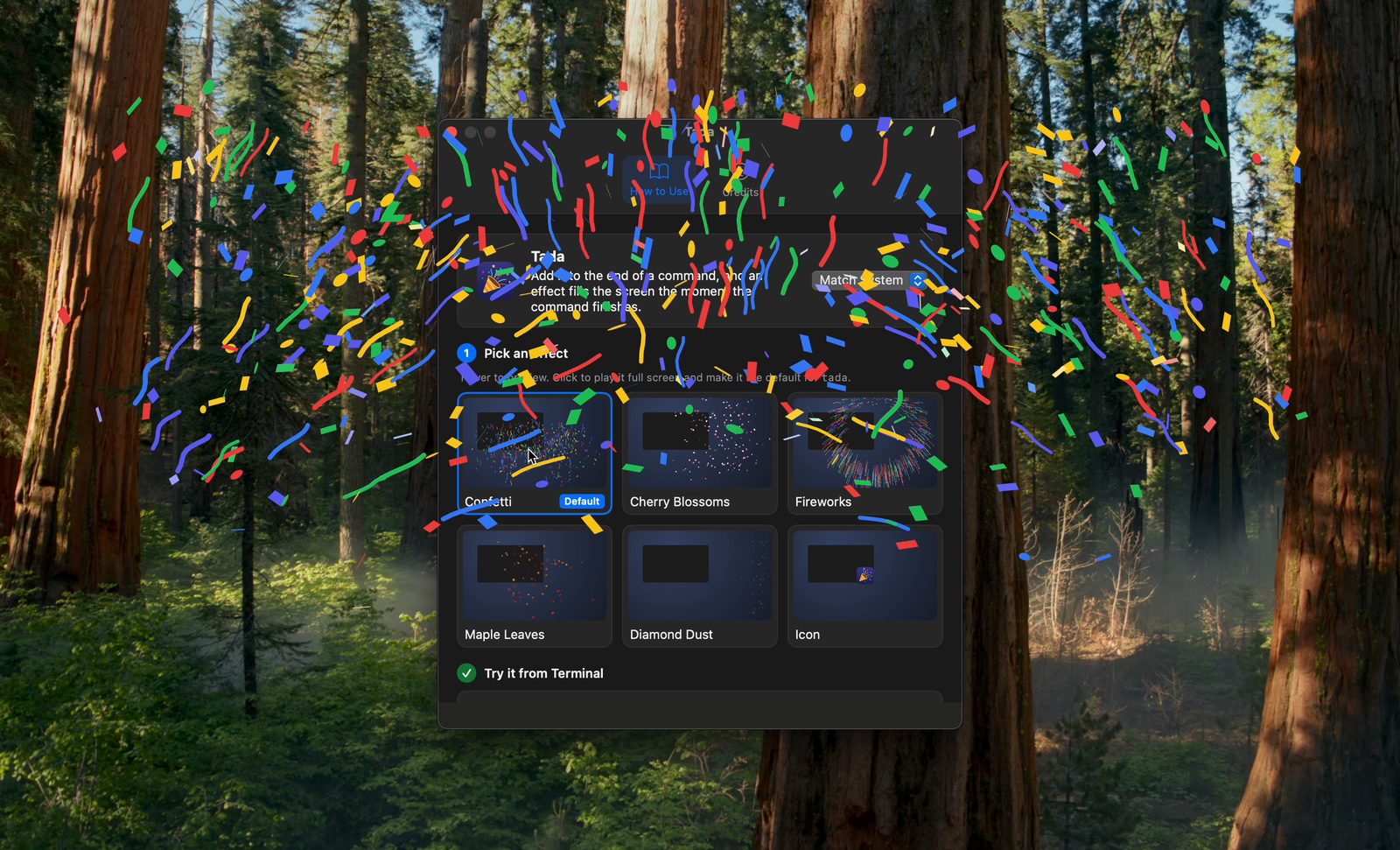
Add it after a command, and an effect fills the screen when it ends.
Tada is a macOS app that puts confetti or fireworks across the whole screen the moment a terminal command finishes, when you add tada after it. It can also send macOS notifications with a level.
Coming Soon
FUNCTION
What it does
Add It After Any CommandWrite make && tada, and the effect plays once the command before it finishes. Terminal keeps your input. Without putting tada on your PATH, open -g "tada://play" calls it too.
Six EffectsChoose from confetti, cherry blossoms, fireworks, maple leaves, diamond dust and the app icon. They play over full-screen apps and on every connected display.
Notifications With a Leveltada notify "Build failed" --level error sends a macOS notification. Info, success, warning and error each get their own symbol and color. With Time Sensitive notifications allowed, errors reach you during a Focus.
Runs Only When CalledIt does not stay running. It quits a few seconds after the effect ends, and it never starts at login.
What it needs
- Operating system
- macOS 14 (Sonoma) or later.
- Permissions
- Notifications must be allowed, and only to use tada notify. Effects need no permission.
- Languages
- Japanese and English, switchable inside the app.
- Price
- Buy once, use forever. No subscription.