 nvimuxChrome extension
Read the web with your editor's hands.
nvimux is a Chrome extension that scrolls pages, picks links and searches tabs with a feel drawn from (n)vim, so your hand reaches for the mouse far less and your reading is not interrupted.
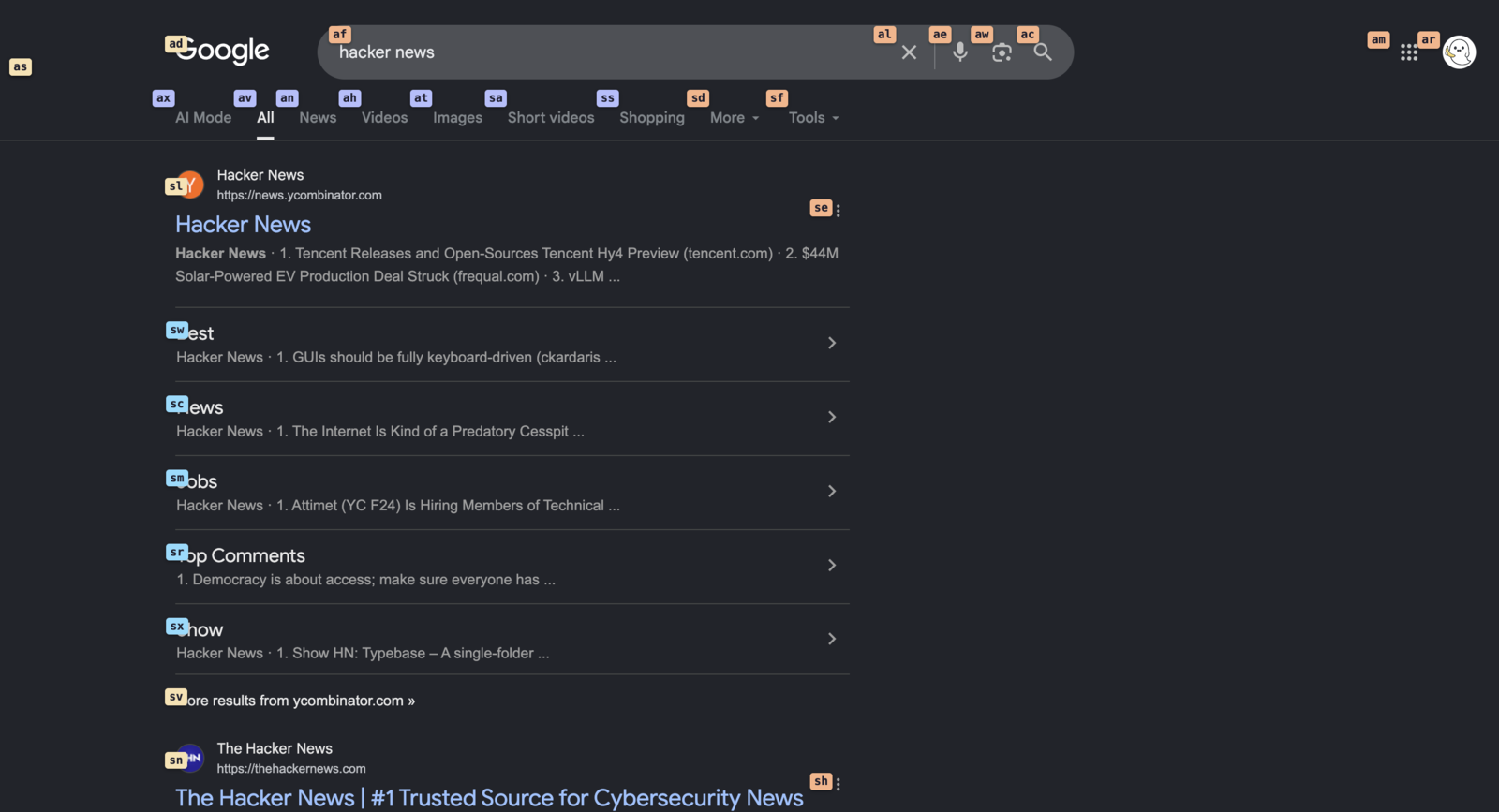
Do any of these happen the moment you move to the browser?
Move down the page without lifting your hands.
Scrolling, picking a link and searching your tabs all happen with your fingers still on the keyboard.
Why it works
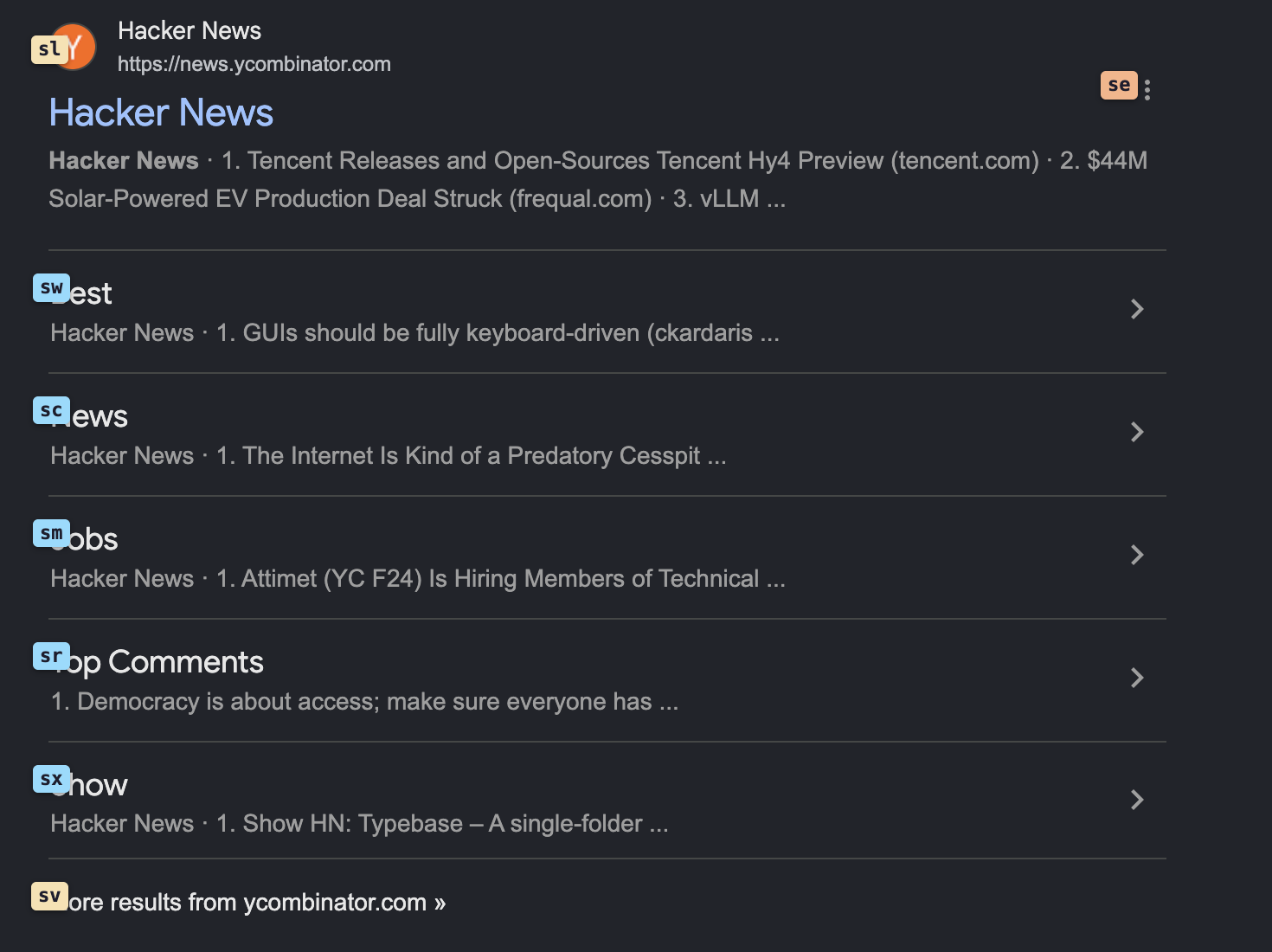
Hint letters land on every link, button and input on screen, and typing a hint opens that element. Headings, body text, navigation and controls are colored apart. The round trip of aiming a pointer disappears.
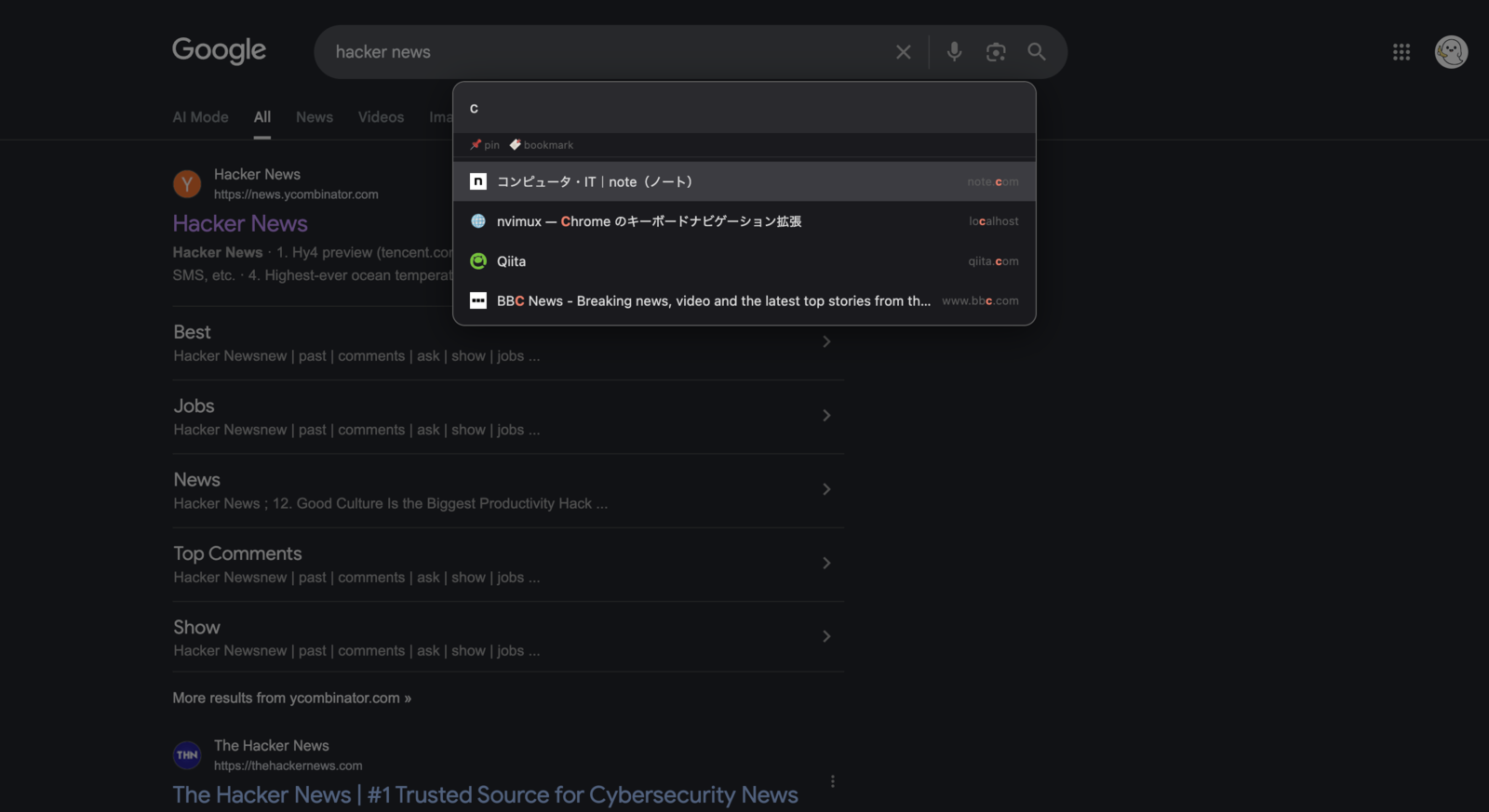
Open tabs, pages you just closed, bookmarks and the sites you visit most are all fuzzy-searchable and one Enter away. Part of a title or a host name is enough, so neither the tab bar nor the bookmarks bar needs scanning.
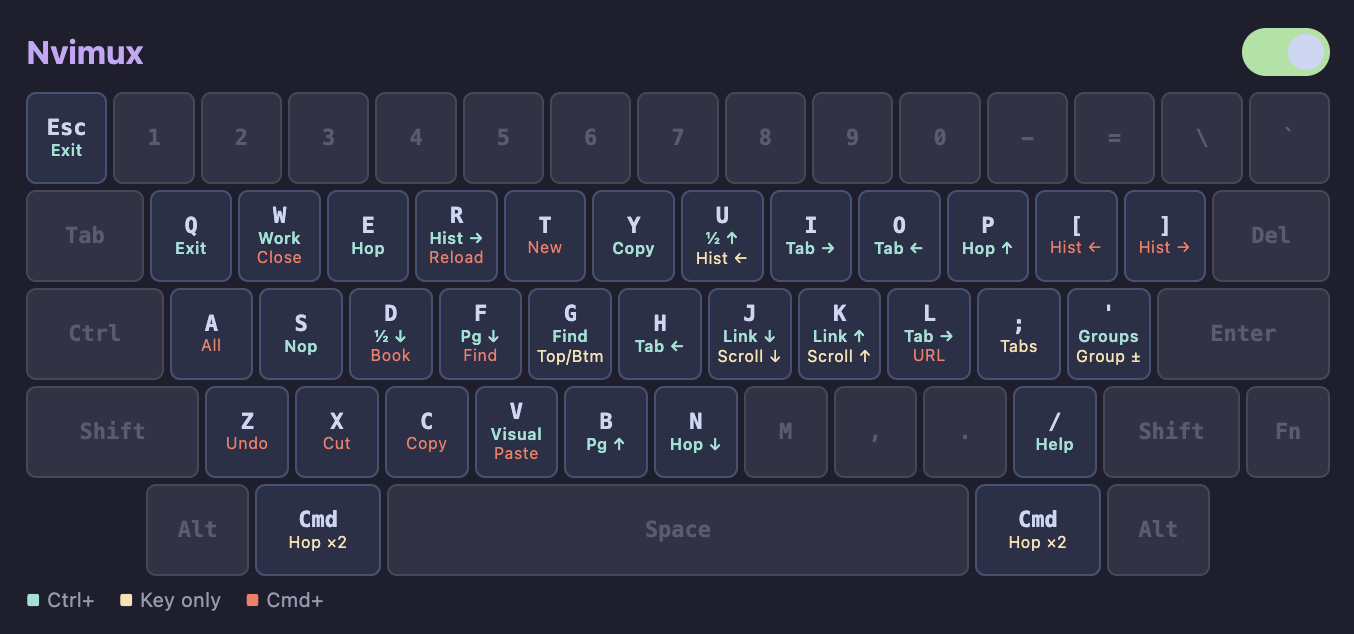
Ctrl+/ lays every nvimux binding over a picture of the keyboard. You can see what each key is spoken for while you are still learning them. If it never suits your hands, the switch on that same sheet turns it off.
Key features
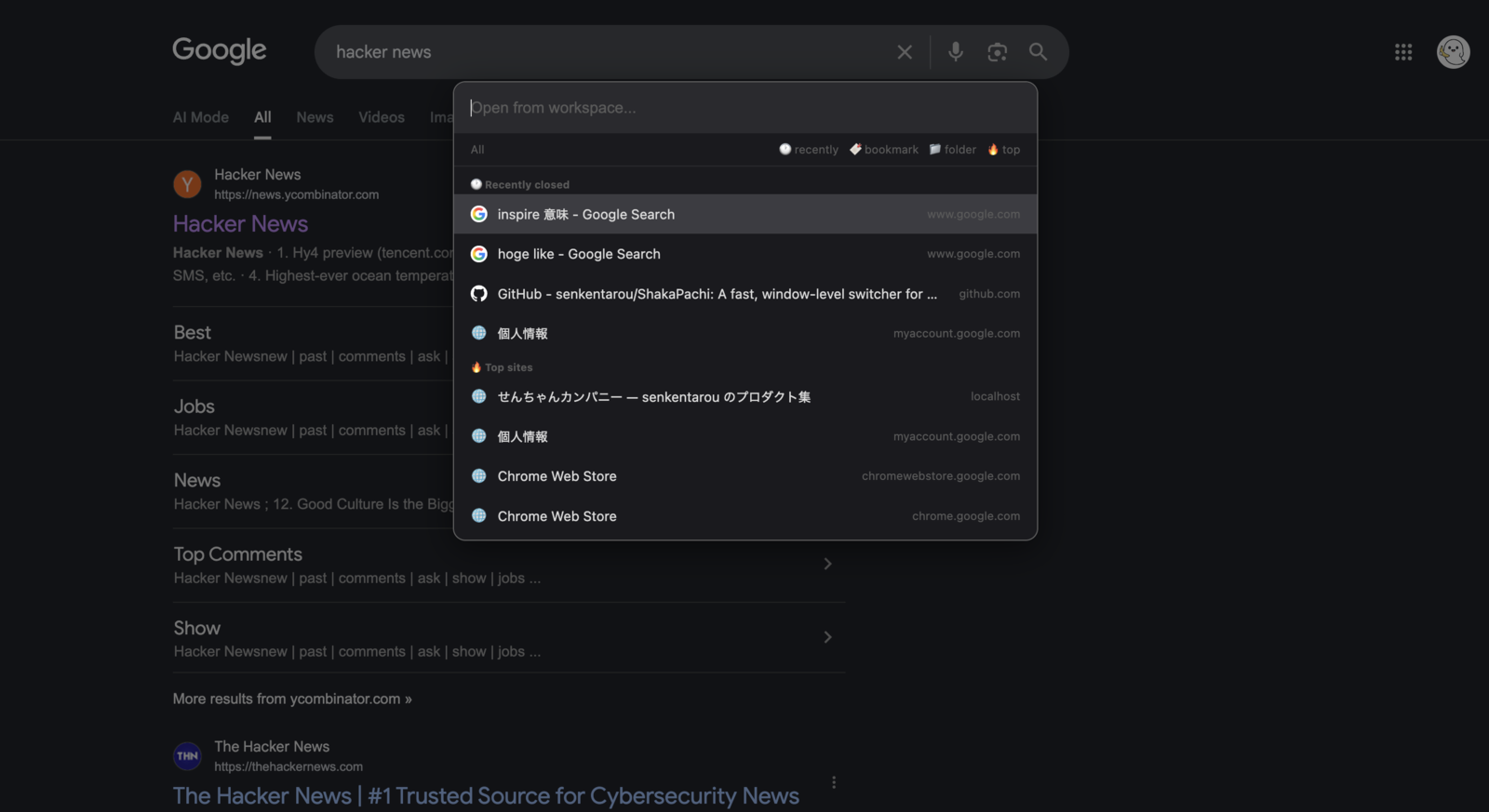
What it needs, and how it handles your keystrokes
- Requirements
- Chrome 120 or later. A Manifest V3 extension.
- Running on every site
- It runs on each page so it can receive your keystrokes there. It never takes keys while you are typing into a field — type j into a search box and you get a j — and if it ever reads your typing the wrong way, it can be switched off temporarily.
- Permissions it uses
- Used to list and switch your open tabs, and to show recently closed tabs, bookmarks, top sites and tab groups in the lists.
- Network traffic
- There is no server behind it for analytics or syncing. Neither the pages you read nor the keys you press are sent anywhere.
- What it stores
- Only the on/off switch and the order in which you moved between tabs, both inside the browser. The order is gone once the browser closes.
- Languages
- English and Japanese.
- Price
- Free.
Give it a try
Add it from the Chrome Web Store. Reload any pages you already had open once it is installed.
Chrome 120 or later · Free · English and Japanese