 LchikamacOS app
Awake only while the job is running.
Lchika is a macOS menu bar app that keeps your Mac awake only while the apps and commands you registered are running. There is no duration to estimate — when the job is over, the Mac goes back to its usual sleep settings.
Coming Soon
FUNCTION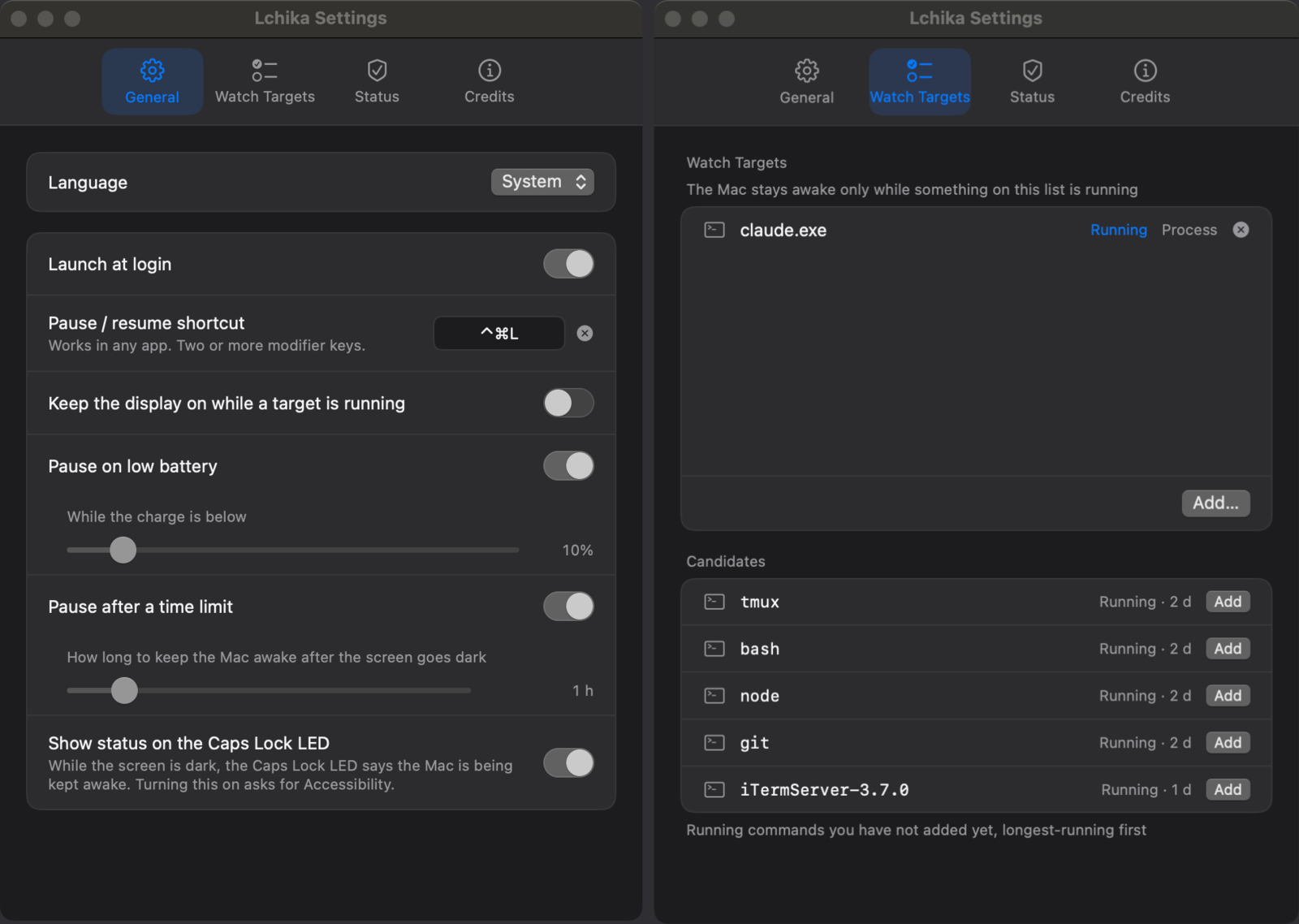
What it does
Sleep Is Suspended While It RunsShortly after a registered target starts, the Mac stays awake, and once they have all exited it is back to its usual sleep settings. Closing the lid does not end that.
Apps and Commands Both CountPick from the running apps, or register a command that has no window — ffmpeg, rsync. You choose as you add it whether to match on the name, the full path, or the PID.
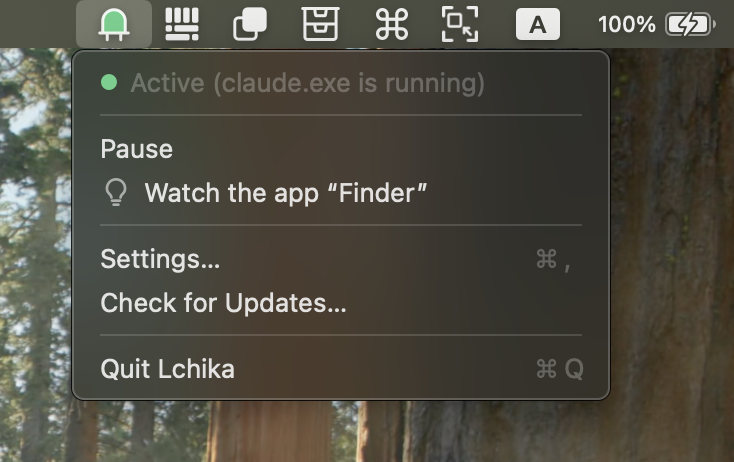
See at a Glance Whether It Is OnThe lens in the menu bar icon lights only while the Mac is being kept awake, and the menu names the target that is the reason. While the screen is off, it can be set to signal with the Caps Lock LED instead.
Switching It On and Off Is Easy⌃⌘L pauses it at any time. It can also be set to let the Mac sleep when the charge drops below a level you choose on battery, or when a single stretch runs past a limit you choose.
What it needs
- Operating system
- macOS 14 (Sonoma) or later.
- Permissions
- Accessibility is required, and only to use the Caps Lock LED indicator.
- About the Caps Lock LED
- The indicator lights the lamp by turning on the OS-level Caps Lock state itself. That may not be what Apple intends it for, so please use it with that in mind. Off by default.
- Price
- Buy once, use forever. No subscription.